
Capture the creation in front of you.
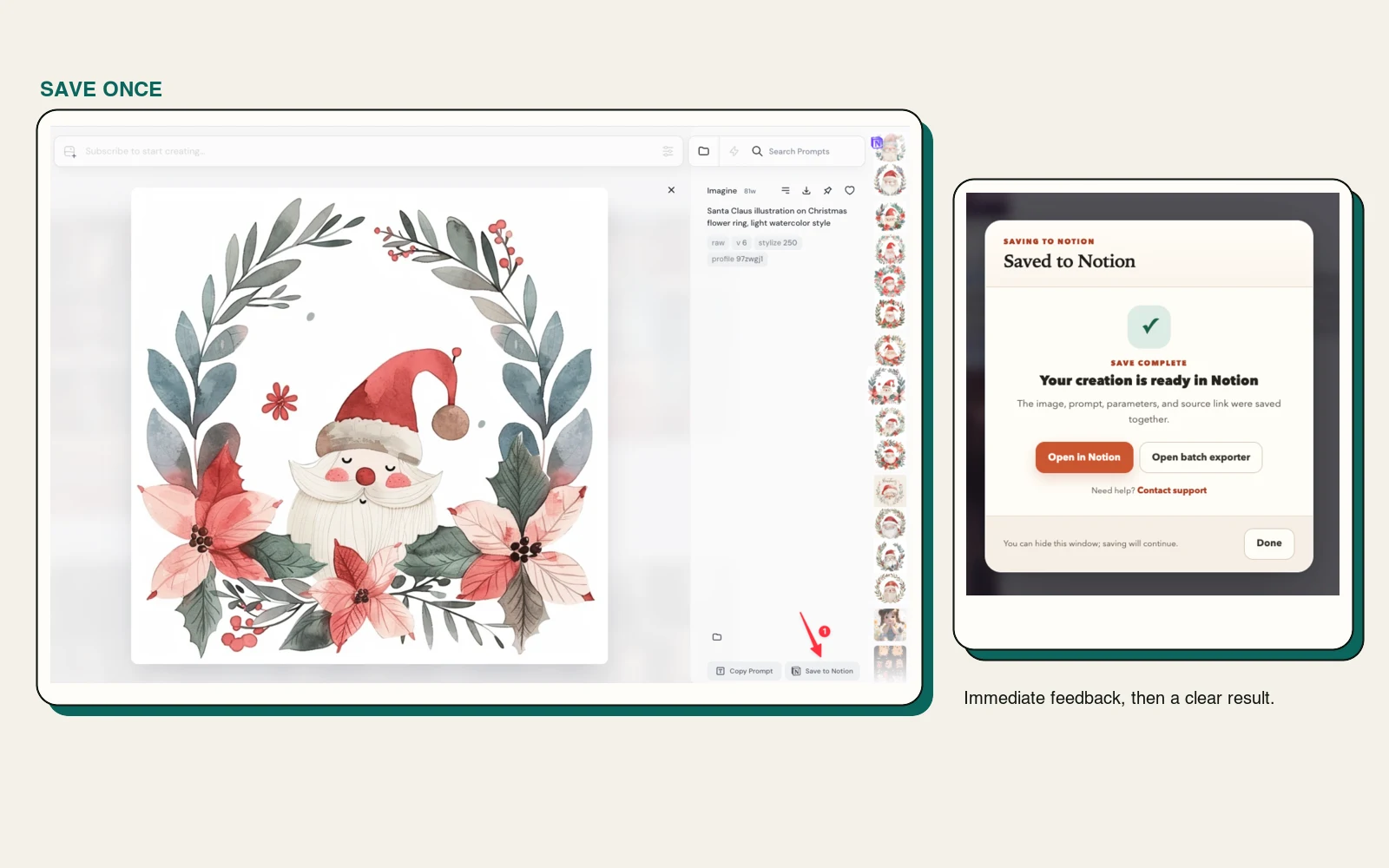
Use the injected Save to Notion button on supported Midjourney Jobs and Discord pages. Feedback appears immediately, so you always know the click registered.
Explore single save →Save one creation while you browse, or export your available Midjourney history in batches. Prompts, parameters, source links, images, and videos arrive in a clean Notion database you control.
Midjourney is where ideas are generated. Notion becomes the durable, searchable layer where those ideas can be reviewed, reused, tagged, and shared.
Use the injected Save to Notion button on supported Midjourney Jobs and Discord pages. Feedback appears immediately, so you always know the click registered.
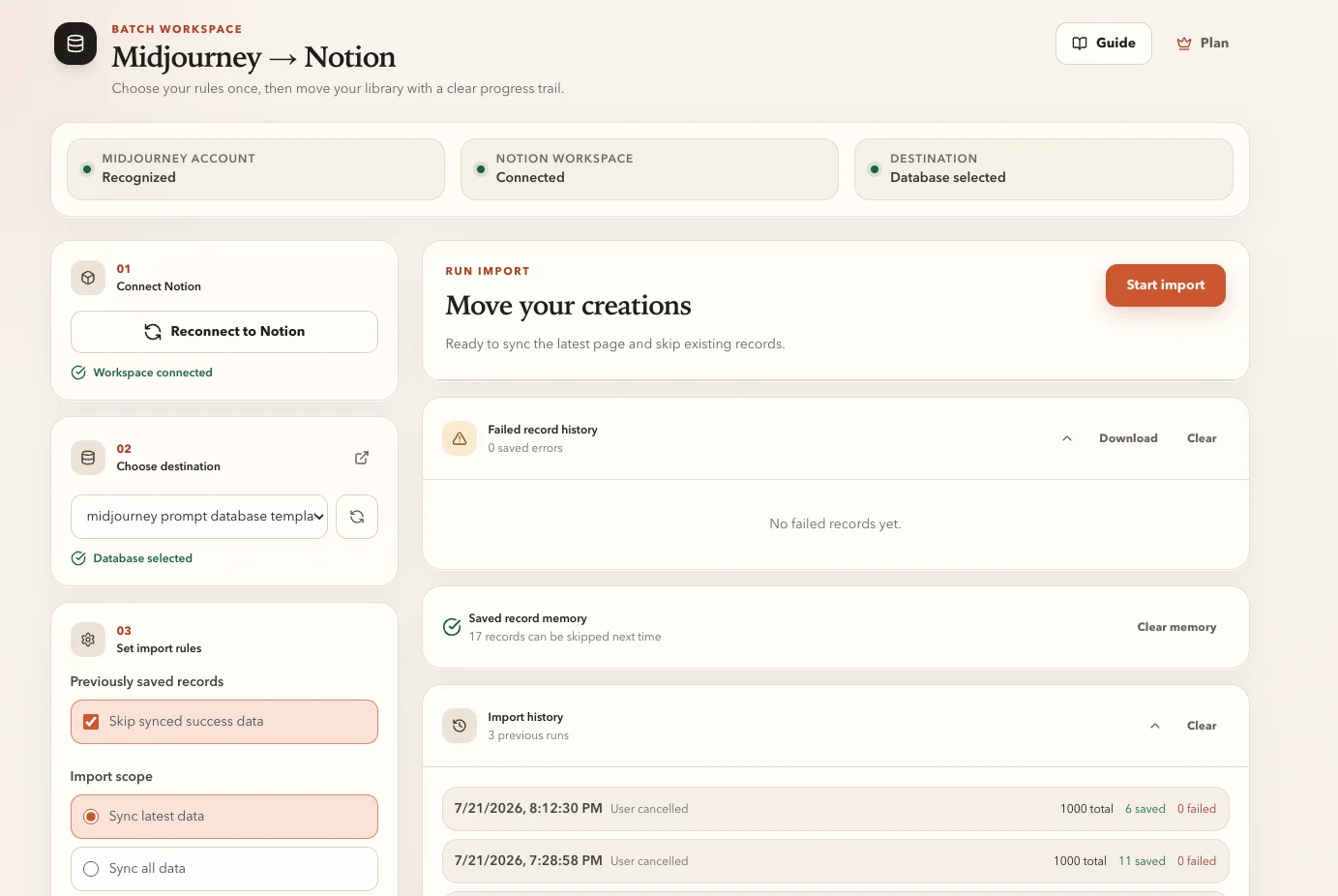
Explore single save →Choose the latest page or continue through your available history. Live progress, success counts, failures, and cancellation keep the import understandable.
Explore batch export →The extension first uploads the image through Notion’s native file API. If that fails, an R2 fallback keeps the save moving.
Understand image storage →Source URL, original image URL, saved image URL, prompt, attributes, version, and video URL use a consistent Notion page structure with copy-friendly code blocks.
See the Notion structure →Browse Midjourney Jobs or a Discord channel, click Save to Notion, and continue. The extension reads the supported creation details, checks your selected database, prepares the image, and creates the Notion page.
Whether the record comes from the options-page batch importer, Midjourney Jobs, or Discord, the Notion page body follows one canonical format.
| Content | Notion format | Why it matters |
|---|---|---|
| Midjourney URL | code block | Return to the original job quickly. |
| Original image URL | code block | Preserve the source reference. |
| Saved image URL | code block | Know which image source the page uses. |
| Prompt | code block | Copy the full prompt without selecting surrounding text. |
| Attributes + Version | code blocks | Reuse parameters such as model version and aspect ratio. |
| Image / Video | media block | Preview the result inside the Notion page. |
The batch workspace checks the selected Notion database before importing, adds missing required fields, and then processes Midjourney records with visible progress.
Add Midjourney to Notion from the Chrome Web Store and pin it for quick access.
Authorize Notion and select the database that will hold your Midjourney archive.
Use the injected page button for individual creations or open the batch workspace for history.
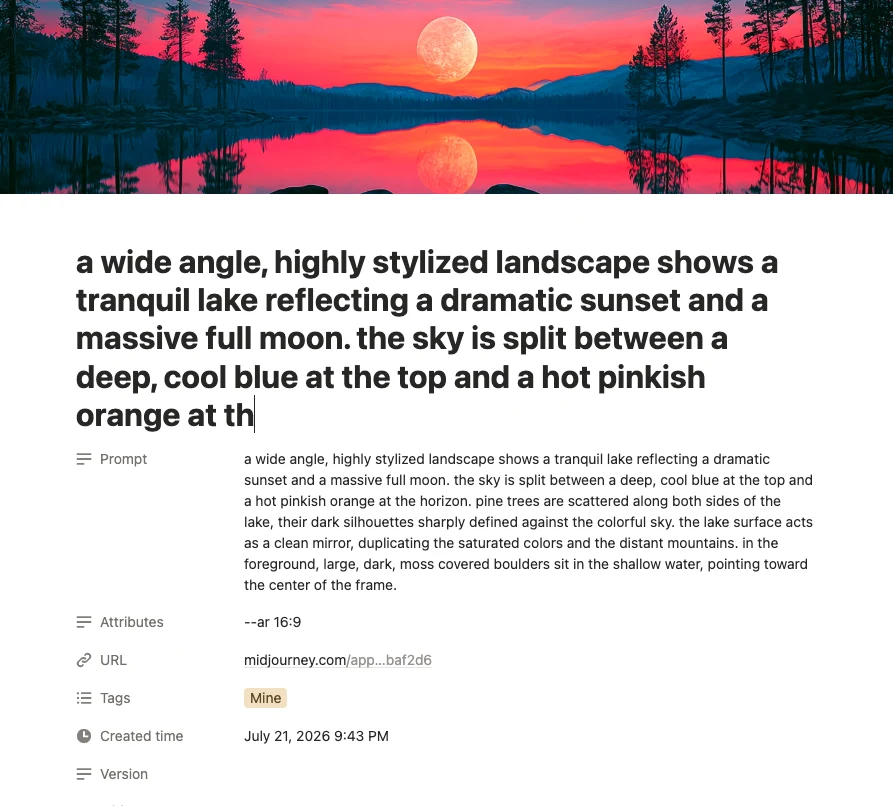
Use Notion views, tags, filters, and sharing to turn saved generations into a reference library, production archive, mood board, or team resource.
All paid plans unlock unlimited syncs and the complete prompt-and-image workflow.
Flexible Pro access for an active Midjourney workflow.
A full year of unlimited syncing for the equivalent of 10 monthly payments.
Pay once and keep every Pro feature for good.
Yes. Open the batch workspace from the extension, select a Notion database, choose whether to import the latest page or continue through your available history, and start the export.
The extension first attempts Notion’s native file upload. If that fails, it uses an R2-hosted fallback URL so the image block and page can still be created.
Before a save or batch import, the extension checks for Prompt, Attributes, Version, URL, and Tags. Missing supported fields are added automatically. A conflicting field type is reported so you can correct it safely.
The batch workspace can skip an existing record, replace it, or always create a new record. You choose the behavior before importing.
Yes. On supported Midjourney messages in discord.com channels, the extension injects a Save to Notion action and uses the same Notion page structure as other save paths.
Extension configuration is stored through Chrome extension storage. Saving also involves the Notion API, subscription verification services, and an image-hosting fallback when Notion upload is unavailable. See the privacy page for the current data flow.
Add the extension, connect the Notion database you already use, and make every worthwhile generation easier to find again.